Free for creators, always
One dashboard for every brand you promote
Your links, your conversions and your earnings across every program in one place — and a clear answer to the only question that really matters: when am I getting paid, and by whom?
No fees, ever · No minimum audience · Your payment details stay encrypted
Built for the person doing the promoting
One login, every brand
No separate dashboard per program, no separate password, no chasing five different portals at the end of the month.
Brands pay you directly
AffGo calculates what you are owed, documents it, and chases late payments. Your money never passes through us, and we never take a percentage of it.
Honest payout status
Approved, awaiting payment, paid, confirmed — each shown for what it is. An overdue payout says overdue, and says we have reminded the brand.
Matched, not spammed
Recommendations come from what you cover and who you reach. You can dismiss a brand and never see it again.
How it works
- 1
Build your profile once
Your categories, audience and links live in one place. Brands review the same profile every time, so you are not filling in the same form for every program.
- 2
Join programs that fit
Browse the marketplace or get matched on what you actually cover. Apply in a click; approved programs mint your tracking link straight away.
- 3
Track and get paid
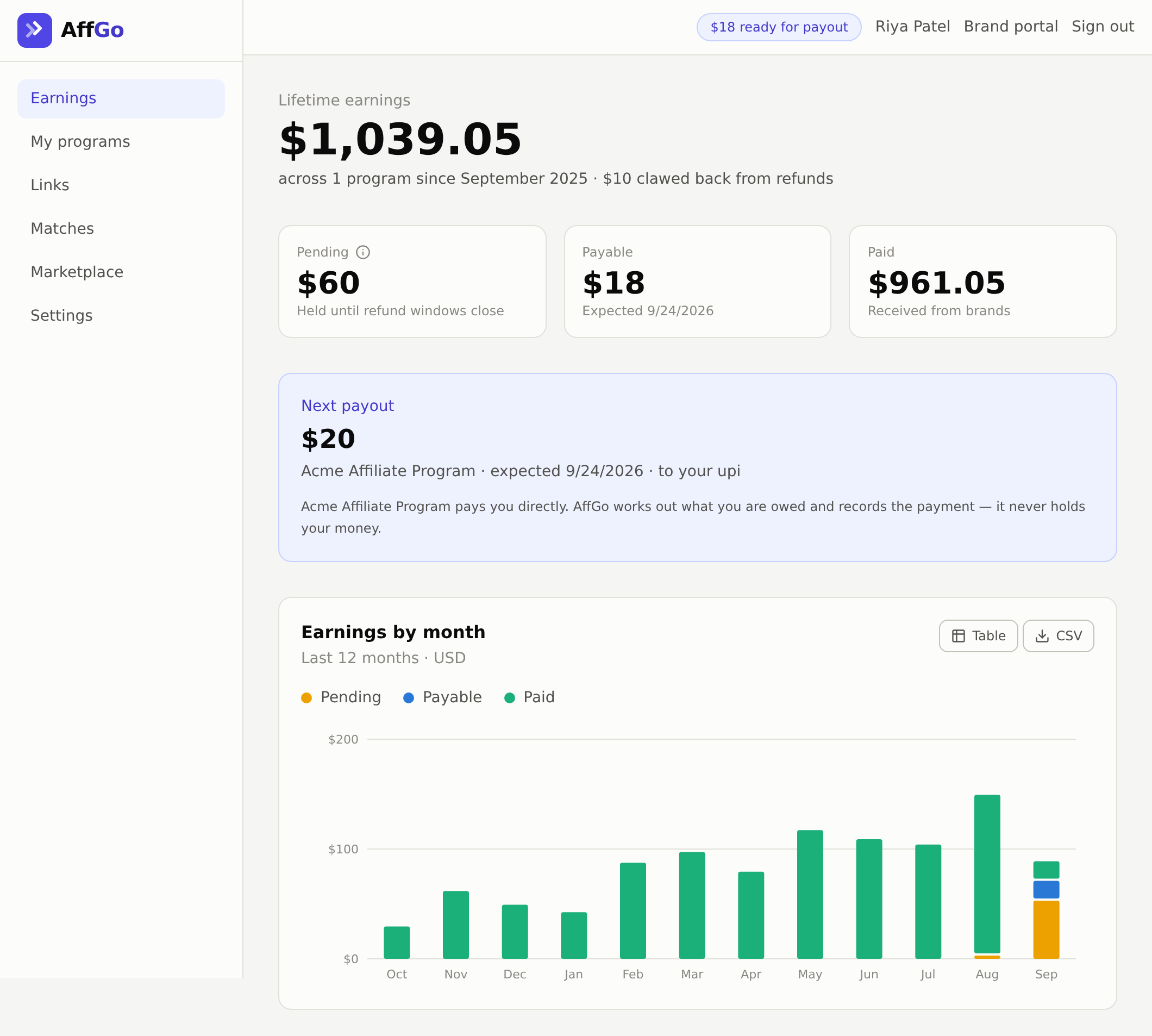
Clicks, conversions and commissions for every brand in one earnings view. When a payout is approved you see the amount, the date it is due, and the reference once the brand has paid.
Marketplace
Programs open to creators now
Getting paid
The brand pays you. We do the paperwork.
Brands pay you directly, using the payment details you give them. AffGo works out what you are owed, produces the statement, and tracks whether the payment arrived — but the money never sits with us, so there is nothing for us to take a cut of and nothing of yours for us to hold.
When a brand marks a payout as paid, you confirm it once the money lands. If it does not, you can raise it and the brand has to answer.
- 1You drive a saleTracked from the click to the order, attributed to you.
- 2The commission is heldUntil the brand's refund window closes, then it becomes payable.
- 3The brand pays youBank, UPI or PayPal — whatever you gave them. AffGo records the reference.
- 4You confirm it arrivedOr raise it if it did not, and the brand has to answer.
Start with one program, or ten
Creating a profile is free and takes a couple of minutes.
Create your free profile